
On this page
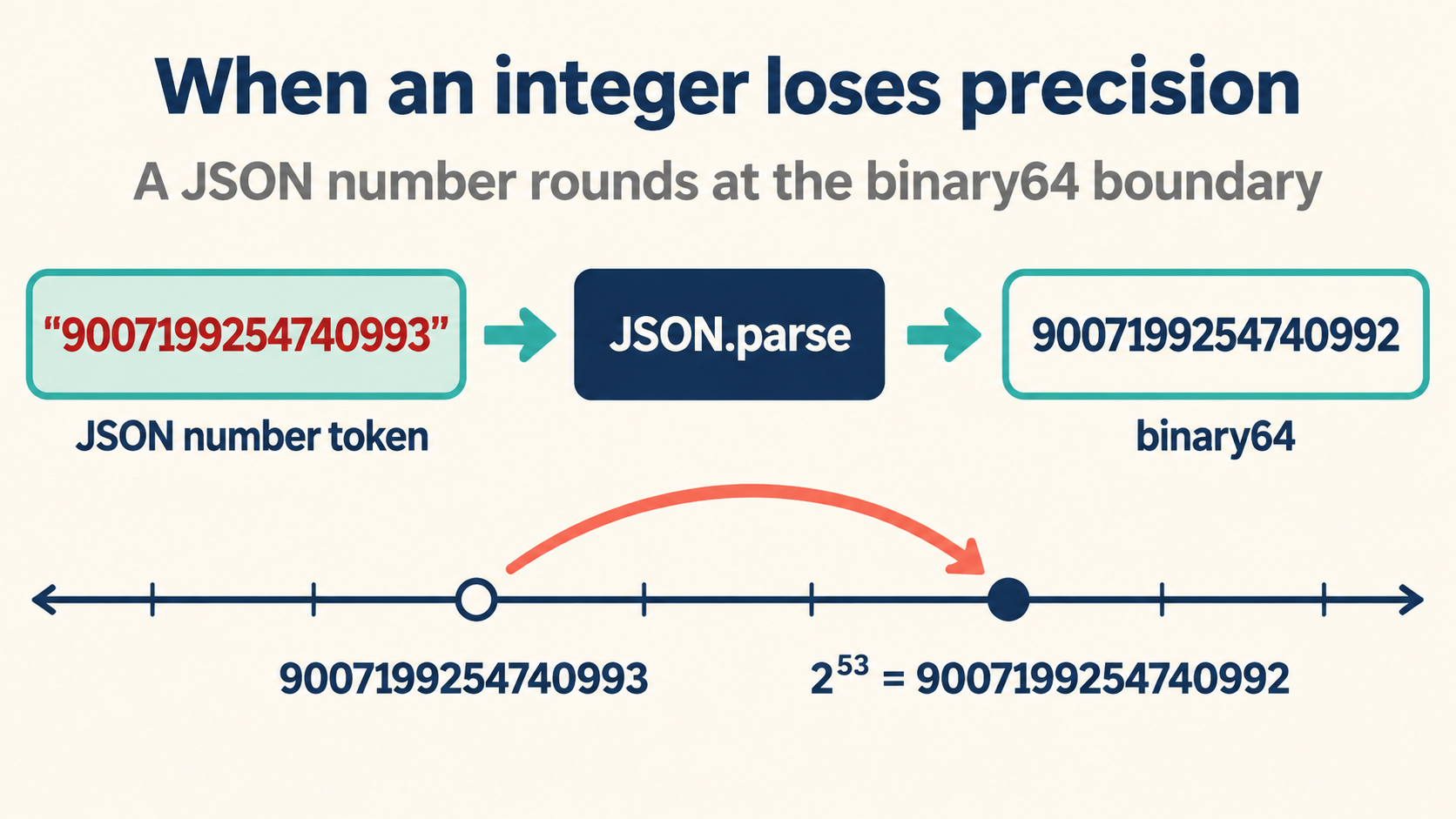
The Digit That Was Never There
Open a payload containing {"id": 9007199254740993} in a browser console and the property reads back as 9007199254740992. Nothing failed. No exception fired, no warning appeared in any log, and the HTTP response was a clean 200.
The parser accepted every character of the token and still handed back a number one unit below the one written on the wire. If your only observation point is the parsed object, the corruption is invisible: the value simply looks like a plausible ID, and every downstream system keeps using it.
This is the quietest class of data corruption in web development, and it happens entirely between the text layer and the number layer. The token on the wire is exact. The value in memory is not. Somewhere in that gap, a digit changes without permission.
Teams usually meet this bug twice. The first time, someone assumes a typo in the database and burns an afternoon diffing records that are actually fine. The second time, someone writes an integration test comparing parsed output against the source file, sees it fail at exactly 2^53, and finally understands that the boundary is a property of the number format rather than of the payload.
const wire = '{"id":9007199254740993}';
const parsed = JSON.parse(wire);

wire.includes('9007199254740993'); // true
parsed.id;                         // 9007199254740992
parsed.id === 9007199254740993;    // false
Three lines, and the whole bug is on display. The string still carries the correct digits. The parsed number does not. Everything that follows in this article is about managing the distance between those two facts.
Fifty-Three Bits Is the Whole Budget
IEEE 754 binary64, the number format behind every JavaScript Number, stores a sign, an exponent, and a 53-bit significand. Fifty-three bits can enumerate the integers from 0 through 2^53 - 1, which is 9007199254740991 and is exposed in JavaScript as Number.MAX_SAFE_INTEGER.
Above that ceiling, spacing between adjacent representable values stops being 1. At exactly 2^53 the gap widens to 2, so the odd neighbor 2^53 + 1 has no slot of its own. The parser must round, and IEEE 754 rounding sends ties to the even neighbor, which is why 9007199254740993 lands on 9007199254740992 and not somewhere random-looking.
Number.MAX_SAFE_INTEGER;                // 9007199254740991
Number.isSafeInteger(9007199254740991); // true
Number.isSafeInteger(9007199254740993); // false

9007199254740993 === 9007199254740992;  // true — the literal itself already rounded
That last line is worth a second look. The rounding does not wait for JSON.parse. The numeric literal in your own source code rounds at compile time, because it goes through the same binary64 conversion. Any code that writes a suspicious ID as a bare literal is already corrupted before the payload ever matters.
Two consequences follow. Every integer below the ceiling parses exactly. Every integer above it parses only if it happens to be representable, which for odd numbers it never is in that first stretch above the boundary.
The Grammar Accepts It, the Number Type Does Not
A common misdiagnosis blames the JSON grammar. It should not. The JSON specification deliberately places no upper bound on number magnitude and makes no statement about precision at all. A document with twenty digits before the decimal point is well-formed JSON in every reading of the grammar.
{"order_id": 14147579918237451, "note": "twenty digits parse fine as text"}
The loss happens one layer down, when an implementation materializes the token as a binary64 value. That choice belongs to the runtime, not the format. Python’s json module keeps arbitrary precision for integers by default, which is why the same document parsed in Python and in JavaScript can disagree about the last digit while both parsers are correct by their own rules.
// JavaScript
JSON.parse('{"n":14147579918237451}').n; // 14147579918237452 — rounded up
# Python
import json
json.loads('{"n":14147579918237451}')["n"]  # 14147579918237451 — exact
The practical rule: never reason about large JSON integers from the format alone. Ask which runtime will materialize them, and in what type. A cross-language test suite that only ever runs in one runtime will happily certify a pipeline that corrupts data for the other half of your users.
What the Parser Actually Hands Back
By default, JSON.parse converts JSON number tokens to JavaScript Number values. That means the original digits are no longer available to application code after the parse, no matter what you do with the object afterward.
const text = '{"id":9007199254740993}';
const value = JSON.parse(text);

typeof value.id;  // "number"
value.id;         // 9007199254740992
String(value.id); // "9007199254740992" — the rounded value, re-printed
The reviver callback does not recover the original token. It receives the already-parsed Number, so converting that value to BigInt preserves the rounded result, not the source digits:
JSON.parse(text, (key, value) =>
  typeof value === 'number' ? BigInt(value) : value
).id; // 9007199254740992n — exact about the wrong number
That is a useful trap to recognize in code review. A reviver that calls BigInt(value) looks exact, but it is exact only about the rounded value. If you need the original token, use a parser that preserves number lexemes, or change the contract so the value arrives as a string or is handled with an explicit big-integer parser.
One more observation completes the picture. Serializing the parsed object back to JSON produces text that no longer matches the wire, and the diff is silent:
JSON.stringify(JSON.parse(text));
// '{"id":9007199254740992}' — one digit different from the input
Pipelines that parse-then-store-then-serve therefore propagate the corruption. Each hop looks clean because each hop only sees numbers, and the digits were lost before the first hop began.
BigInt: Exact Math, Inconvenient Borders
JavaScript’s answer to exact integers is BigInt, and it does the arithmetic job perfectly. A BigInt holds every digit of 9007199254740993, adds, multiplies, and compares without rounding. The friction starts at serialization, because the two number types are deliberately incompatible:
const id = 9007199254740993n;
id;            // 9007199254740993n
id.toString(); // "9007199254740993"

JSON.stringify({ id });
// TypeError: Do not know how to serialize a BigInt
The error is deliberate. JSON.stringify has no default representation for BigInt. You must choose one explicitly, and the ecosystem has converged on emitting strings:
const exact = (key, value) => typeof value === 'bigint' ? value.toString() : value;
JSON.stringify({ id: 9007199254740993n }, exact);
// '{"id":"9007199254740993"}'
Notice what the shim produces: a string on the wire. That is not an accident or a workaround. It is where the whole ecosystem converged, for reasons the next section makes concrete.
The other friction points are worth listing so they do not surprise you mid-refactor. Arithmetic cannot mix the two types, so 1n + 1 throws rather than coercing. Display, logging and template formatting need explicit String() calls. And a BigInt that crosses into a library expecting Number will round exactly as badly as before, one layer removed from where anyone is looking.
Why String IDs Won the Interoperability Fight
Look at how platforms that hand out very large identifiers behave. Snowflake-style identifiers and many public API keys travel as JSON strings, even though their values are conceptually numeric. The reasons are mechanical, not stylistic:
{"order_id": "14147579918237451", "quantity": 3}
Every JSON consumer, in every language, preserves string characters exactly. Strings need no precision policy, no serializer knob, and no cross-runtime test. IDs are opaque labels, not quantities, so nothing meaningful is computed from them and the numeric type buys nothing. And future growth stops being a migration: a string that fits today still fits when the generator adds digits.
Adopting the same convention costs one decision at the boundary: emit "14147579918237451", and every downstream reader, from a browser to a phone client to a log pipeline, sees the identical characters.
The objection engineers raise most often is sorting. Numeric IDs sort naturally; string IDs sort lexicographically. The fix is small and boring: store the numeric form in the column you sort on and the string form on the wire, or zero-pad if the generator’s output length is stable. The wire format and the storage format do not have to be the same thing, and pretending they do is what creates the precision problem in the first place.
Serializer Settings That Survive a Round Trip
If a project must keep numeric form, the serializer configuration becomes part of the contract. Different stacks expose different knobs, and each one exists because the default is lossy somewhere:
| Stack | Knob | Effect |
|---|---|---|
| Java / Jackson | USE_BIG_DECIMAL_FOR_FLOATS, USE_LONG_FOR_INTS |
Maps JSON integers onto long or BigDecimal instead of lossy doubles. |
| Python | json.loads(..., parse_int=decimal.Decimal) |
Every integer token lands in an exact type. |
| .NET | JsonNumberHandling on JsonDocumentOptions |
Controls whether numbers surface as raw text or decimal. |
| JavaScript | Custom parser over the raw text, or a lossless-number JSON library | The standard API offers no switch; exactness requires a different reader. |
Whichever combination is chosen, the acceptance test is the same and it is binary: serialize a document, parse it back, and compare token strings character by character. A round trip that preserves tokens is safe. One that does not is a lossy pipeline, whatever the documentation says.
const original = '{"id":9007199254740993}';
const roundTripped = JSON.stringify(JSON.parse(original));
original === roundTripped; // false — this pipeline is lossy
Promote that one-line comparison into a CI test with a fixture that sits just above 2^53, one just below, and one with mixed types. Three fixtures cover the entire regression class, and they cost nothing to run.
Guard Rails for Large Numeric IDs
Teams that accept numeric IDs from partners can still protect themselves with three cheap checks. Each converts a silent corruption into a visible contract violation, which is the difference between a bug report and a hotfix.
Schema-level warning. Declare the field as a string in the schema even when the producer sends numbers, and alert on the mismatch, so drift is caught at review time.
if (typeof body.id !== 'string') {
  throw new Error('id must be a string on the wire; received ' + typeof body.id);
}
Parse-time assertion. After decoding, verify with Number.isSafeInteger (or the local equivalent) and fail loudly rather than continuing with a rounded value:
const n = Number(rawId);
if (!Number.isSafeInteger(n)) {
  throw new RangeError('id exceeds the safe-integer range');
}
Wire-format comparison. Keep the raw body around during debugging and diff the token, not the parsed value, when a digit discrepancy appears. The raw body is the only witness that survives the parse, and it is the only witness that tells the truth.
Checking a Doubtful Payload on Your Own Machine
The fastest diagnosis path needs nothing but a browser. Paste the payload into the inspector on this site, and the exact token stays visible in the source pane while the parsed tree shows what the runtime materialized. The difference between the two panes is the precision loss, presented digit by digit.
Keep the habit of comparing the token to the value. Once a team internalizes that the JSON text layer and the runtime number layer are separate surfaces with separate guarantees, the whole family of large-integer bugs stops being mysterious and starts being a boundary you can see and test.
The workflow stays local in the browser: no uploads, no model calls, no eval-based parsing. Inspect the payload, find the changed digit, and then pick the explicit fix: a string ID, a BigInt with a serializer shim, or a documented numeric range with boundary tests in CI.