
On this page
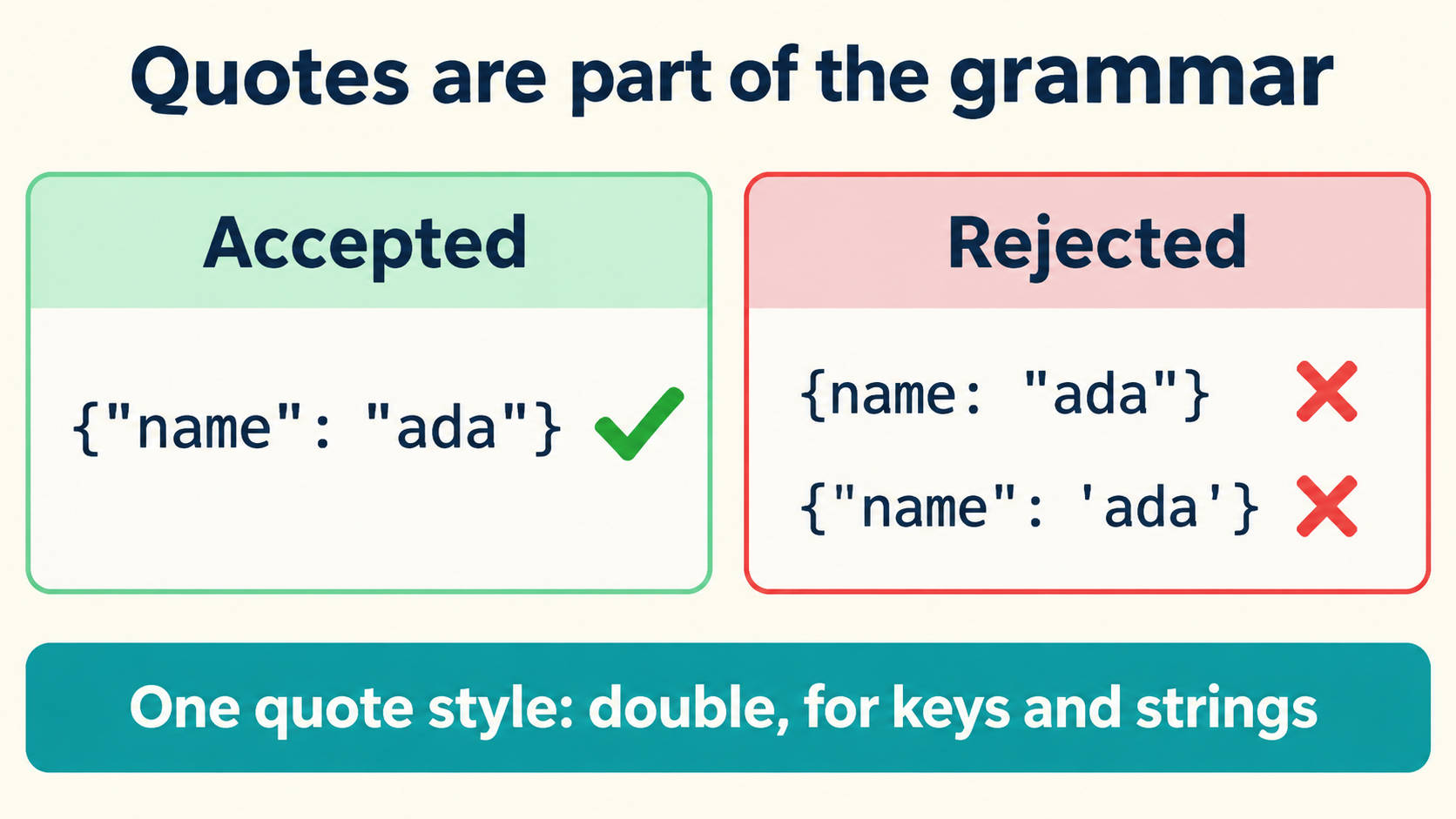
Straight Double Quotes Belong to the Grammar
JSON requires straight double quotation marks — U+0022 — around every property name and every string value, because those characters are the delimiters the grammar itself is defined with. {"name":"Ada"} is valid: both the member name and the value carry the required quotes.
Whitespace plays no role in that requirement. You can present the same document compactly or across several lines:
{
  "name": "Ada"
}
Both spellings parse to the same value. Removing the quotes around name, however, produces text outside the grammar — and no amount of re-indenting restores a missing delimiter. The distinction worth internalizing early: presentation is negotiable, structure is not, and the quotes around names and strings are structure. Every correction you make to a “broken” document should be able to say, out loud, which of the two it is touching.
This framing also explains why the fix never starts with replacing characters. It starts with classifying them: for each quote-shaped character in the file, is it a delimiter the grammar demands, or content someone typed? The rest of this article is that classification, applied to the specific cases that generate most support requests.
JavaScript Tolerance Is Not JSON Validity
Most “why won’t this parse?” confusion starts here. JavaScript object literals accept forms that JSON does not:
const ok_in_js = {
  name: 'Ada',        // unquoted name + single quotes
  "role": 'admin',    // mixed styles
};
JSON.parse('{name: "Ada"}');   // SyntaxError
JSON.parse("{'name':'Ada'}");  // SyntaxError
A runtime accepts the literal on the left because object literal syntax is more permissive than JSON. That acceptance says nothing about interchange: JSON is a data format with its own specification, not a subset of “whatever this engine happens to parse.” A document pasted from a JS file, a config written in another language’s dictionary syntax, or a hand-typed note in single quotes all fail the same check for the same reason — the delimiters are wrong, even when every parser you personally use would shrug.
The practical consequence: when a validator rejects a document that “works in the browser,” the fix is not to argue with the validator. It is to convert the outer spelling to JSON’s grammar while leaving the values untouched.
Fix Names and Strings as Two Separate Passes
Corrections go wrong when unquoted names and single-quoted strings are repaired in one sweep, because the two problems have different boundaries. Do them separately:
- Unquoted names. Add straight double quotes around the member name only:
{role: "x"}becomes{"role":"x"}. The name is structure; its quotes are grammar. - Single-quoted strings. Replace the outer single quotes with straight doubles, then re-escape any double quote now inside the value:
{'msg':'he said "go"'}becomes{"msg":"he said \"go\""}.
// input (invalid):
{name: 'Ada', note: 'it's fine'}
// pass 1 — quote the names:
{"name": 'Ada', "note": 'it's fine'}
// pass 2 — swap string delimiters and re-escape:
{"name":"Ada","note":"it's fine"}
The second pass is where the danger lives, which is why it gets its own section.
Apostrophes in Data Must Survive Every Correction
An apostrophe inside a value — O'Reilly, it's, d'Artagnan — is data. It never participates in the document’s structure, and a correct conversion leaves every one of them exactly where it was. The failure mode is seductive because the document is full of quote-shaped characters, and a global “replace quotes” pass cannot tell the structural ones from the data ones:
// before conversion:
{name: 'O'Reilly fan', score: 5}
// correct result:
{"name":"O'Reilly fan","score":5}
// naive replace-all of ' with " :
{"name":"O"Reilly fan","score":5}   ← broken, and silently
The broken version often still looks plausible to the eye. It fails at parse time — or worse, parses into a different value on engines with lenient recovery. That asymmetry, where the corruption is invisible in review but real in the payload, is the reason this fix should never be a single blind substitution.
Why a Blanket Apostrophe Replacement Corrupts Values
Consider what a global replace actually does to a value that contains an apostrophe. The string it's fine becomes it"s fine in the data — a different name, a different sentence, a different record in whatever consumes it. No validator catches this, because it"s fine as a content problem is invisible: the document either fails outright on the stray delimiter or, if the surrounding quotes were doubled correctly, parses cleanly with corrupted text inside.
// proof that the corruption parses cleanly:
const doc = JSON.parse('{"quote":"it" + String.fromCharCode(34) + "s fine"}');
doc.quote; // "it"s fine — valid JSON, wrong string
The rule that prevents this: replace delimiters, never contents. A delimiter is the quote that opens or closes a string as determined by the grammar; everything between the opening delimiter and its matching close is content and must be preserved byte for byte. Apostrophes in English prose, names, and code snippets fall on the content side every time.
Serialize an Object Instead of Editing Text by Hand
When the source is a JavaScript object literal — a paste from a script, a config file — the safest conversion skips text surgery entirely. Evaluate the literal, then serialize the resulting object:
const obj = { name: 'Ada', note: "it's fine", tags: ['a', 'b'] };
JSON.stringify(obj);
// '{"name":"Ada","note":"it\'s fine","tags":["a","b"]}'
// (note: stringify escapes the apostrophe's containing string correctly)
JSON.parse(JSON.stringify(obj)); // round trip — value preserved
Serialization solves two problems at once. The engine does the escaping — every internal double quote, every backslash, every control character gets the right treatment, because the engine has already parsed the values and knows what is content. And the round-trip check gives you a verifiable endpoint: JSON.parse(JSON.stringify(obj)) deep-equal to the original means nothing was corrupted in conversion.
// the equality check worth running after any conversion:
const before = { name: "O'Reilly", msg: 'she said "hi"' };
const after = JSON.parse(JSON.stringify(before));
JSON.stringify(after) === JSON.stringify(before) ||
  JSON.stringify(after) === JSON.stringify(before); // deep equal
after.name;  // "O'Reilly" — apostrophes intact
after.msg;   // 'she said "hi"' — inner doubles re-escaped
What the check establishes is precise: the converted document carries the same values as the source object. It does not establish that a hand-edited text was converted correctly — for pasted text that was never a valid literal, serialization has nothing to evaluate, and the manual passes from section 2 apply.
Recognizing Typographic Quotes in Copied Text
Text that traveled through a word processor, an email client, or a chat window often arrives with typographic quotation marks — U+201C/U+201D (curly doubles) and U+2018/U+2019 (curly singles, which are also apostrophes). None of them are valid JSON delimiters, and each needs a different decision:
| Character | Unicode | Correct treatment |
|---|---|---|
| “ ” curly doubles | U+201C / U+201D | Replace with U+0022 when they are delimiters |
| ‘ ’ curly singles as delimiters | U+2018 / U+2019 | Replace with U+0022 when they delimit a string |
| ’ apostrophe inside a value | U+2019 | Preserve — it is content, or normalize deliberately |
The trap is the last row: the same character that opens a curly-quoted string is also the character inside it’s. A pass that swaps U+2019 for a double quote globally converts every apostrophe in the data into a syntax error or a corrupted value. The discriminator is position, not the character itself: is this mark adjacent to the boundary of a value, or sitting inside one?
// find what you actually have before changing anything:
const marks = [...text].filter(c => '\u201C\u201D\u2018\u2019\u0022\u0027'.includes(c));
new Set(marks); // inventory first — then decide per position
A Focused Inspection Exercise
Close the loop with a small exercise that exercises every rule above. Take this deliberately broken document:
{name: 'Ada Lovelace', quote: 'she said "compute"', book: 'Byron's daughter'}
Work the passes in order and predict the result before checking: quote the three names; swap the three string delimiters; escape the inner double quote in quote; preserve the apostrophes in Ada Lovelace (none), Byron's (one), and "compute" (none). The correct output:
{"name":"Ada Lovelace","quote":"she said \"compute\"","book":"Byron's daughter"}
Verify by parsing — the pasted exercise is a two-second check in the inspector on this site: paste, parse, expand the tree, and confirm the three values read exactly as they did in the broken source. Value types deserve the same glance: score: 5 staying a number and "5" staying a string is part of “correction” too, since a quote-swap pass that touches digit-adjacent characters can silently retype a value.
The whole discipline reduces to one sentence: quotes are grammar where the grammar needs them, data everywhere else. Inventory the quote-shaped characters first, decide delimiter versus content per position, serialize rather than hand-edit whenever the source is a real object, and finish with a parse-plus-equality check that proves the values survived. Every step runs locally in the browser — paste the exercise into the JSON Inspector and confirm the tree, the apostrophes, and the escaped inner quote all in one pass.