
On this page
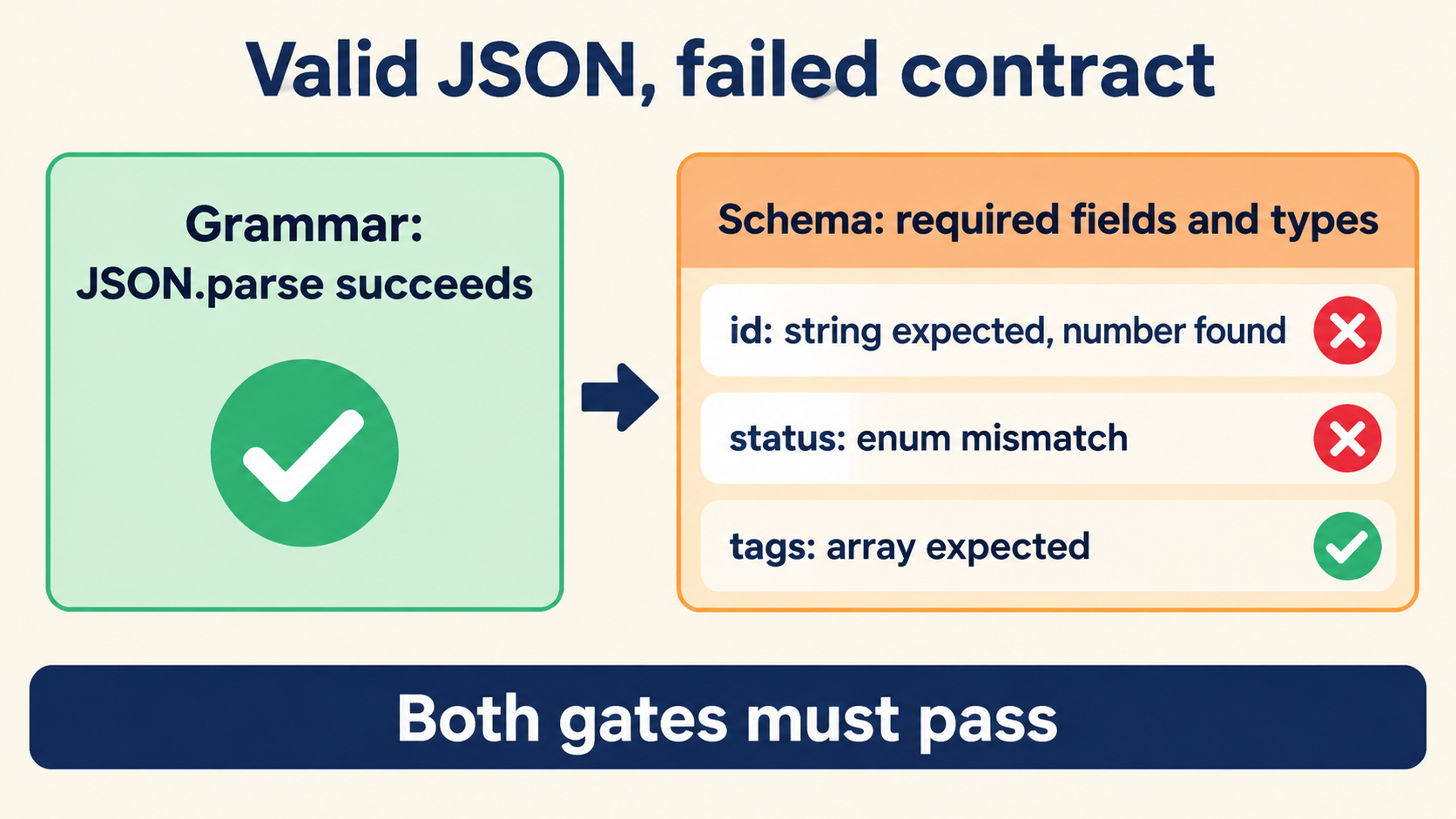
Identify the Schema for the Request You Actually Sent
When your JSON tool reports success but an API reports a schema error, compare the exact transmitted body with the request schema for that endpoint, HTTP method, and API version. Use the reported location and rule to focus the investigation: required fields first, then value types, then allowed values, then restrictions on unexpected properties.
Before editing the body, establish what you are comparing. Record the endpoint, method, version, and the documented request schema. Confirm the schema belongs to that operation and describes its request body — not a response, not a neighboring endpoint’s variant. Then inspect the serialized body the client actually sent; keep it alongside the value in your editor so you can confirm you are investigating the same input, and preserve the original while making corrections.
Keep these details together:
- The operation and version being called.
- The applicable request schema and referenced requirements.
- The serialized request body.
- The response body and reported validation details.
- The schema dialect and validator settings, if you control the check.
This gives every proposed edit a concrete basis. If the error reports a missing property, inspect both the selected schema and the object actually sent; if the response is less specific, preserve its exact wording while you investigate — paraphrased error text loses the rule name that narrows the search.
Separate Valid Syntax from Schema Conformance
The two checks answer different questions, and a document can pass either while failing the other:
| Check | Question | Tool that answers it |
|---|---|---|
| Syntax | Is this well-formed JSON? | Any parser — the inspector on this site |
| Schema | Does this value satisfy the endpoint’s contract? | The API’s validator, or a local schema check |
{"quantity":"three"} parses perfectly and still fails an endpoint that requires an integer. The parser saw a well-formed string; the validator saw the wrong type. When a tool says “valid JSON” and the API says “bad request,” nobody is lying — the words describe different layers. Naming the layer before you touch the document is the whole diagnostic discipline: syntax fixes change spelling, schema fixes change values or structure.
JSON.parse('{"quantity":"three"}');  // fine — syntax passes
// schema expects: { "quantity": { "type": "integer" } }
// the failure is conformance, not spelling
Establish an Explicit Example Schema
The walkthrough below uses one explicitly fictional contract so every candidate body has an expected result. Baseline schema for POST /v2/orders:
{
  "sku":       { "type": "string",  "required": true },
  "quantity":  { "type": "integer", "required": true, "minimum": 1 },
  "channel":   { "type": "string",  "enum": ["web", "retail"] },
  "discount":  { "type": "number",  "required": false, "maximum": 0.5 },
  "additionalProperties": false
}
The baseline body passes every stated requirement:
{"sku":"A-104","quantity":2,"channel":"web"}
Expected result: accepted. Each section below changes exactly one thing about this body and predicts the specific mismatch the validator should report — that one-change-at-a-time discipline is what turns schema errors from puzzles into readings.
Check Required Fields Before Changing Values
Remove quantity from the baseline:
{"sku":"A-104","channel":"web"}
Expected result: rejected with quantity: required property missing. The correction is to add the property with a conforming value, not to hunt for a typo elsewhere. Required-field errors are the cheapest schema failures to fix and the most common, and they arrive with a property name in the message — use it. The failure signature worth remembering: the rest of the body is fine, exactly one property is absent, and adding it with a correct value resolves the request without any other change.
Two look-alikes deserve a warning. A property present but spelled differently (qty vs quantity) produces the same “required missing” report, because the validator does not fuzzy-match names. And a property present but nested in the wrong object also reads as missing at the level the schema checks — which leads into the nested inspection below.
Apply the Inspection Inside Nested Data
Schemas usually describe nested objects element by element, and errors inside them report at the path where they occur. Extend the example:
{
  "sku": "A-104",
  "quantity": 2,
  "channel": "web",
  "item": { "weight": "1.4kg", "fragile": true }
}
If the contract requires item.weight to be a number in kilograms, the expected report is item.weight: expected number — not a top-level complaint. The diagnostic habit that scales: read the path in the error as a map reference. item.weight names exactly where to look, and the value there compared against the schema at that path gives the fix. Most nested “mystery” failures are one path away from obvious once the path is read literally instead of skimmed.
// navigate the path the error names, literally:
const doc = JSON.parse(body);
doc.item.weight;         // "1.4kg" — a string where a number is required
typeof doc.item.weight;  // "string" → confirmed mismatch
Compare the Actual Value Type with the Required Type
Send the baseline with the quantity quoted:
{"sku":"A-104","quantity":"2","channel":"web"}
Expected result: rejected with quantity: expected integer, got string. The value looks numerically right and is textually wrong; the validator checks the type before the value. The correction is to remove the quotes — not to parse the string, not to adjust other fields.
JavaScript makes this class of bug easy to create, because String(2) and 2 print identically in most logs. The check that catches it before the API does:
const doc = JSON.parse(body);
Object.entries(doc).filter(([k, v]) =>
  typeof v !== 'number' && needsNumber(k)); // ["quantity"] → the culprit
The source of a quoted number is almost always a form field or a query parameter — both arrive as strings, and a build step that splices them into the document without conversion ships the type error to production. Fixing the conversion at the source is durable; fixing the one body by hand is a patch that the next request repeats.
Check Allowed Values After Checking Types
Types pass, values can still fail. Change the baseline’s channel to a plausible-but-unlisted string:
{"sku":"A-104","quantity":2,"channel":"mobile"}
Expected result: rejected with channel: value must be one of web, retail. The enum list in the message is the complete answer — pick a listed value or renegotiate the contract. Enum errors are easy to misread as typos because the offending value is often almost a member (Web with a capital, web-app, website); validators compare exactly, so case and spelling both matter.
Number ranges follow the same pattern. discount: 0.75 against maximum: 0.5 fails not on type but on bound, and the report names the rule — maximum — which is your cue to check the contract’s constraint rather than the value’s spelling. The order of checks in the validator (required → type → enum/range) is also the order to run your own inspection: each earlier check failing makes later reports meaningless, since validators usually stop at the first failure.
Inspect Unexpected Properties at the Correct Object Level
Add a property the schema does not mention:
{"sku":"A-104","quantity":2,"channel":"web","note":"ship before friday"}
Expected result: rejected with note: unexpected property — because the contract sets additionalProperties: false. Whether that rejection is correct depends entirely on the contract; some endpoints accept and ignore extras. The reason the check lives at the “correct object level” is that nested objects carry their own additional-properties policy: item may reject extras even when the top level allows them, and vice versa. A request that passes the top level can still fail inside a nested object, and the error path tells you which policy rejected it.
// list properties the schema does not recognize, per level:
const known = new Set(['sku', 'quantity', 'channel', 'discount']);
Object.keys(doc).filter(k => !known.has(k)); // ["note"] → remove or declare
The correction decision is a fork: remove the property if it was a mistake, or move the information into a field the contract provides (a metadata or notes object, if the schema has one). Silently renaming it to fit is the worst option — it hides the intent of the data from whoever reads the request next.
Turn a Validation Error into a Focused Correction
Assembling the method: read the error’s path and rule name, classify which check failed (required, type, enum, bound, unexpected property), apply the one correction that check implies, and re-send. One error, one fix, one re-send — batching speculative changes muddies which edit resolved the failure, and if the next error changes, you cannot attribute the improvement.
// the loop that finishes the investigation:
const fix = (report) => {
  const { path, rule } = report;         // from the validator message
  // required  → add the property with a conforming value
  // type      → correct the value's type at path
  // enum/rule → move to a listed/allowed value
  // unexpected→ remove or relocate the property at path
};
What a schema pass establishes, finally, is worth stating exactly: the body conforms to the contract you compared it with — the version you recorded, the schema you confirmed belongs to the operation you called. It does not establish that the request will succeed, because the endpoint may enforce state the schema cannot express (stock levels, permissions, idempotency). Those failures arrive with different signatures and a different investigation. But the schema layer, once passed deliberately rather than by luck, is the fastest layer to re-verify — every rule is written down, every check is local, and the body you paste into the inspector on this site can be walked through all five checks — required fields, nested paths, types, allowed values, unexpected properties — before the next request is ever sent.