
On this page
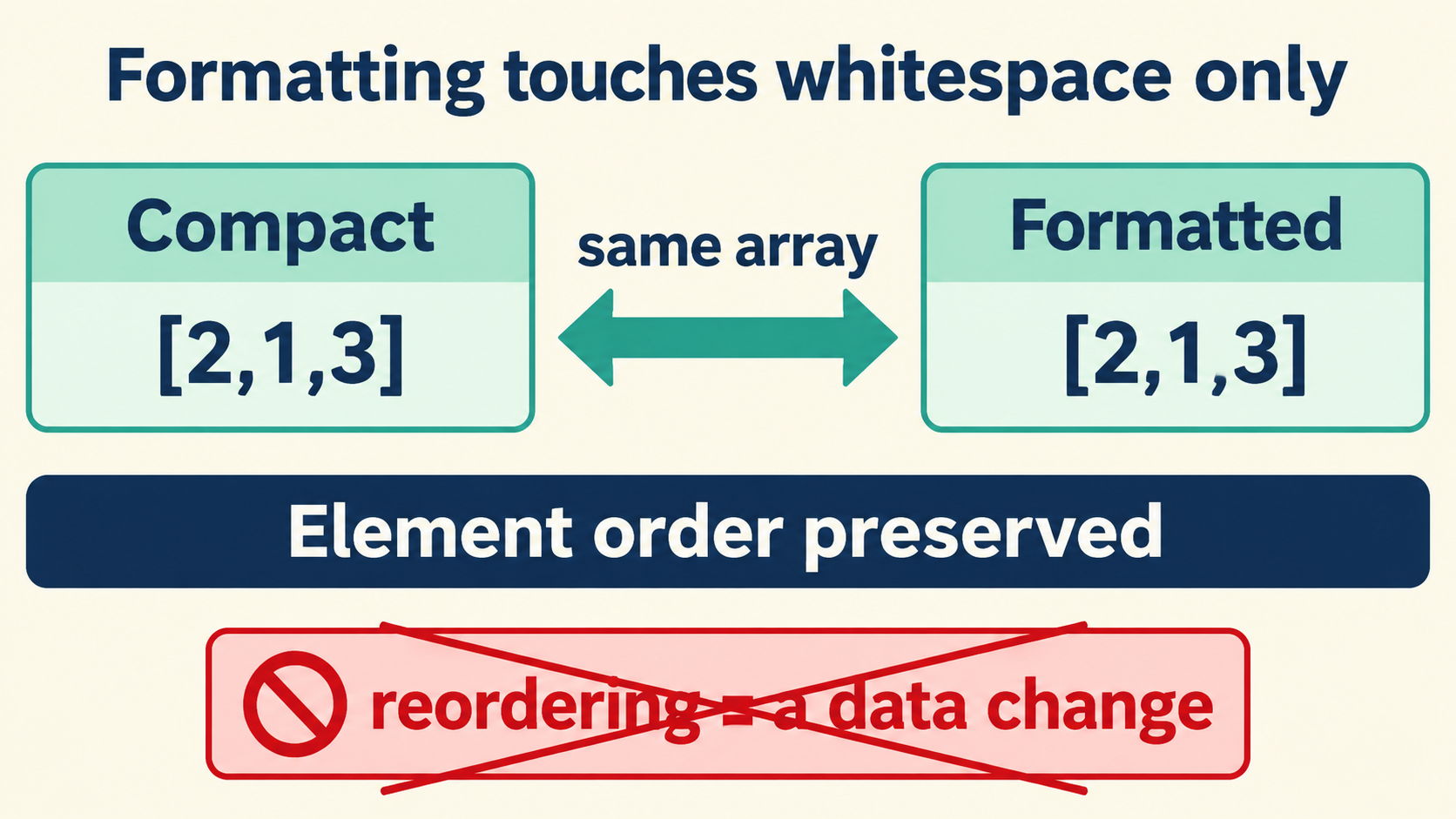
What a Whitespace-Only Change Preserves
No. Formatting that changes only indentation and line breaks preserves array element order. If an array starts as [10, 2, 1, 2], its formatted version should still contain four elements in exactly that sequence — including both occurrences of 2, each at its original index.
Under a whitespace-only change, three properties of the array survive intact:
- Sequence — every element stays at its original index.
- Length — the count of elements is unchanged.
- Values — each element compares equal to what it was, including duplicates.
// compact
[10, 2, 1, 2]
// formatted
[
  10,
  2,
  1,
  2
]
The reason is structural, not a convention that tools happen to follow. In the JSON grammar, array elements are ordered by position between brackets; whitespace exists to separate tokens and never participates in meaning. A formatter’s output is a different text describing the same value, and position is part of the value for arrays. Any tool that reorders elements under a formatting label is not formatting — it is transforming data under a cosmetic name, and the distinction matters exactly as much as it sounds.
Array Positions and Object Keys Are Separate Checks
Much of the confusion around this question comes from reading array guarantees onto objects or the reverse. The two structures carry different rules, and the checks are different. Naming the structure first is what turns an unanswerable question into two answerable ones.
| Structure | Order in the grammar | Effect of whitespace-only formatting |
|---|---|---|
| Array | Significant — position is identity | Order preserved, always |
| Object | Not significant — keys are a set | Key display order may change; no data change |
Object key order is presentation. The JSON specification defines objects as unordered collections, and two documents that differ only in key order describe the same value. Some parsers preserve insertion order as a courtesy, some do not, and formatting may reorder keys as a side effect of how the tree is walked — none of which touches the data.
Array order is the opposite: it is the data. A queue, a recipe’s steps, a sorted result set — the position carries meaning that the format deliberately preserves. This asymmetry is why the question “did formatting change the order?” needs the structure named before it can be answered honestly.
Before and After: Unchanged Positions
A concrete pair makes the guarantee visible, and the chosen example deliberately includes duplicates and a nested object array — the two shapes where order questions actually arise in practice.
{"steps":[{"name":"build"},{"name":"test"},{"name":"deploy"}],"weights":[10,2,1,2]}
Formatted view:
{
  "steps": [
    { "name": "build" },
    { "name": "test" },
    { "name": "deploy" }
  ],
  "weights": [10, 2, 1, 2]
}
Expected observations, stated the way a review should:
stepskeeps three elements at indices 0, 1, 2 with the samenamevalues in the same order.weightskeeps four numbers at indices 0–3 in the same sequence, both2s included.- Key display order inside the two objects may differ between views; that is presentation.
- Nothing else changed: no element added, removed, or moved.
Comparing the two documents side by side in a viewer that keeps the raw source visible is the fastest way to verify. The inspector on this site shows the source pane next to the parsed tree, so the sequence in the text and the sequence in the tree can be checked against each other in one glance.
A Runnable Check With Expected Output
The programmatic version of the same check fits in a few lines and turns the guarantee into something a pipeline can assert:
const compact = '{"weights":[10,2,1,2]}';
const formatted = JSON.stringify(JSON.parse(compact), null, 2);

const a = JSON.parse(compact).weights;
const b = JSON.parse(formatted).weights;

a.length === b.length;        // true
a.every((v, i) => v === b[i]); // true — same values, same positions
JSON.parse(compact).weights;  // [10, 2, 1, 2] — order intact
What this establishes is narrow and useful: parse-format-parse preserves array order. What it does not establish is that every tool labeled “formatter” behaves this way — only that the round trip through the standard parser does. Tools that sort keys, deduplicate, or transform during “formatting” are outside this guarantee, which is why the next section exists. The fixture set below extends the same check to the shapes most likely to hide a violation, and it is small enough to run in CI on every change to any custom formatting step.
// the regression test worth keeping:
const fixtures = ['[10,2,1,2]', '[{"a":1},{"b":2}]', '[[1,2],[3]]'];
fixtures.every(f => {
  const rt = JSON.stringify(JSON.parse(f), null, 2);
  return JSON.stringify(JSON.parse(rt)) === JSON.stringify(JSON.parse(f));
}); // true — order and values survive the round trip
Recognizing Sorting and Other Array Changes
When an array does come back reordered, the cause is one of a small set, and each has a signature. The signatures are worth learning once, because they let you identify the responsible step from a single before-and-after pair instead of instrumenting the whole pipeline.
- An explicit sort step. Some tools offer “sort keys” and apply it to arrays too, or a “sort” option was enabled in the UI. The signature is a consistent comparator: values end up ascending, or keyed by a field. Duplicate-heavy arrays like
[10,2,1,2]becoming[1,2,2,10]is the classic fingerprint. - A parse-then-rewrite pipeline. A tool that reads the document, builds a Map keyed by something, and re-emits from the map can silently reorder. The signature is order that matches some property of the elements rather than the input sequence.
- A viewer’s display choice. Tree views that sort children for readability show a different order on screen without changing the underlying text. The signature: the raw source pane still shows the original order while the tree pane looks sorted. This is presentation, and it misleads more people than actual reordering does.
- A duplicate-collapse step. Set semantics applied to an array removes “duplicate” elements —
[10,2,1,2]losing its second2is a data change independent of order, and it often travels with sorting.
// distinguish viewer sorting from real reordering:
const rawOrder = source.match(/"weights":\s*\[([^\]]+)\]/)[1]; // from the text
const treeOrder = tree.weights.join(',');                      // from the view
rawOrder === treeOrder; // false = the VIEW sorts; the data may be intact
The check that separates display from data is always the same: go back to the raw text. Whatever the tree shows, the source pane is the payload, and the sequence between the brackets there is the sequence the producer sent.
Finding the First Step That Changes the Sequence
When order genuinely changes somewhere in a pipeline, the efficient diagnosis bisects the chain. Capture the array at each hop and compare positions; the first hop where an index differs is the step doing the work. The probe is cheap to add and easy to remove, which makes it the right first move — long before anyone proposes rewriting the step that “might” be responsible.
// instrument each hop:
const probe = (label, doc) => {
  console.log(label, doc.weights.map((v, i) => i + ':' + v).join(' '));
  return doc;
};
probe('received', doc1);
probe('after normalize', doc2);
probe('after enrich', doc3);
// the first line whose index:value pairs shift is the culprit
Two details make the probe trustworthy. Compare positions, not values — a hop that adds an element shifts every later index, and the shift pattern tells you insertion happened even when the values look familiar. And check length at every hop; an order change plus a length change is a different bug from an order change alone, usually a dedup or merge step rather than a sort. For nested arrays, run the same probe per index: a change at steps[2].items reports differently from one at the top level, and flattening the report loses exactly the location information the diagnosis needs.
doc.weights.map((v,i)=>i+':'+v).join(' ');
// received:        0:10 1:2 2:1 3:2
// after normalize:  0:1 1:2 2:2 3:10   ← sorted here
// length check: 4 === 4 at every hop — no element lost
Checking Value Preservation Separately
Order and values are separate guarantees, and a formatter can pass one while failing the other. The sequence can be perfect while a value has quietly changed spelling or type, so the value check needs its own pass with its own signature set:
- Number spelling changes.
1e3reformatted as1000names the same decimal — until the value exceeds the safe-integer range, where a lossy parse may have already rounded the digits before any formatting ran. Compare tokens against the raw source for anything that looks like an ID. - String escape rewrites.
\/becoming/or\u0041becomingAchanges the text without changing the value. Fine for consumers; fatal for byte-level comparisons such as signatures. - Duplicate key collapse. An object with the same key twice parses to one value in most runtimes; a formatter that prints its parse will print one key. Whether that counts as a change depends on the contract, and the contract should say.
// value check, independent of order:
const orig = JSON.parse(rawSource);
const fmt  = JSON.parse(JSON.stringify(orig, null, 2));
JSON.stringify(orig) === JSON.stringify(fmt); // true = values preserved
// (this comparison is order-insensitive for objects by construction)
The complete answer to “does formatting change array element order?” is therefore: not if it is formatting — whitespace in, whitespace out, positions untouched. The checks above convert that sentence into evidence for any specific tool: a positional comparison for the order question, a value comparison for everything else, and the raw source pane as the arbiter whenever a viewer’s display disagrees with either.
The framing worth carrying out of this article is the separation itself. “Is it the same data?” and “is it the same text?” are different questions with different tools, and most formatting arguments are two people answering different questions about the same document. Name the structure, pick the comparison, and the argument becomes a measurement. Everything runs locally in the browser — the documents never leave the machine, and the two comparisons together take less time than the argument they replace.