
On this page
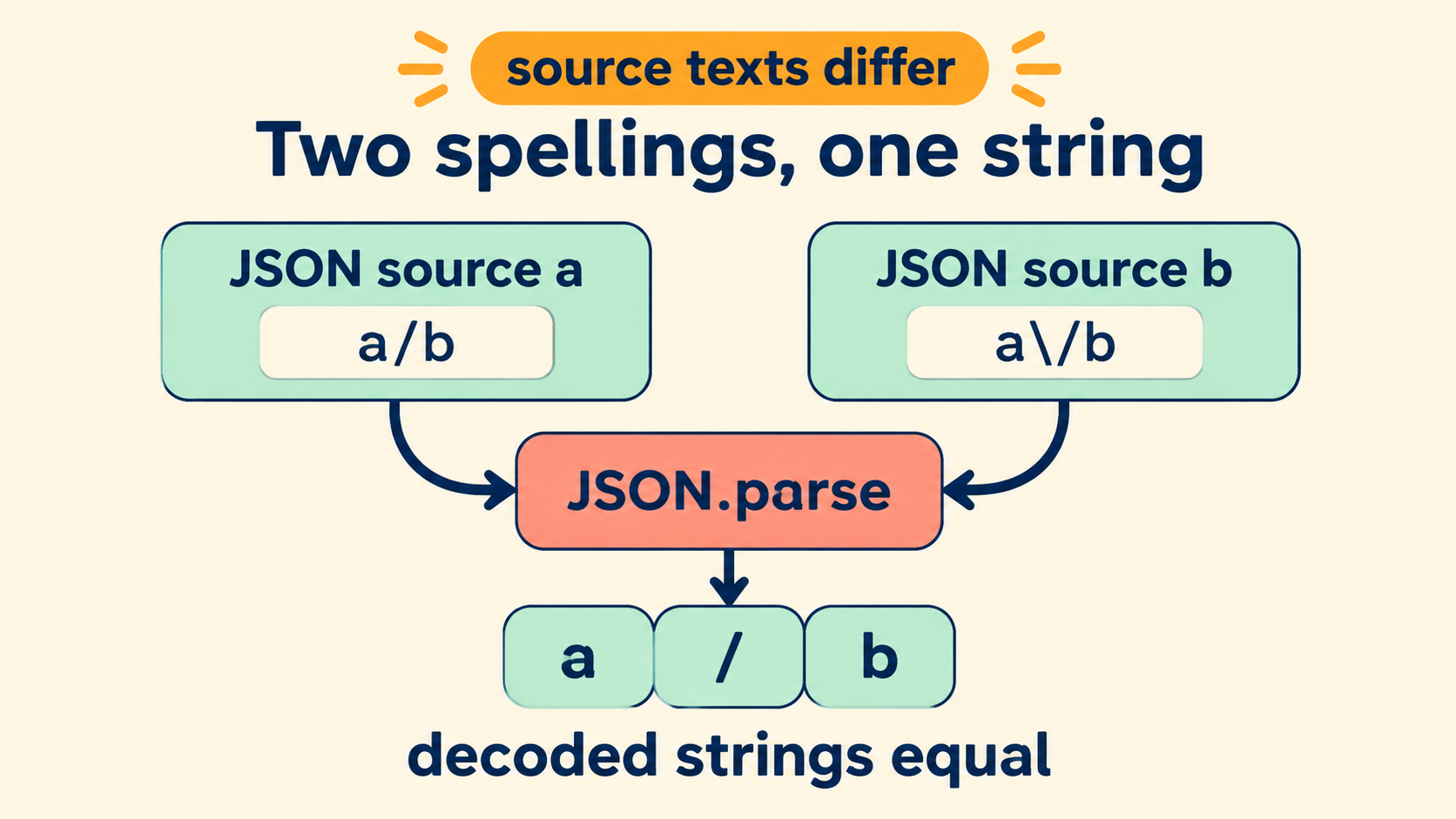
Two Spellings, One Decoded Value
JSON lets a forward slash inside a string be written either bare or escaped as \/. Both spellings decode to the same single character. The parser treats the escape as an instruction — “the next character is literal” — not as data, so the backslash vanishes during decoding and only the slash survives into the value.
JSON.parse('"a/b"');   // 'a/b'
JSON.parse('"a\\/b"'); // 'a/b' — identical decoded string

JSON.parse('"a/b"') === JSON.parse('"a\\/b"'); // true
This is why the question “does escaping a forward slash change a JSON string?” has a two-part answer. It changes the JSON text, character for character. It does not change the string the text describes. Keeping those two layers apart — source text and decoded value — resolves every confusion this topic generates.
A Comparison That Keeps the Input Characters
Most tooling compares values, which hides the distinction the moment you need it. The comparison worth running when a payload “looks different but behaves the same” is a two-pane check: the raw source text side by side with the parsed result.
// source A: {"url": "https://example.test/a/b"}
// source B: {"url": "https:\/\/example.test\/a\/b"}
// parsed values: identical in both documents
// raw texts: 22 characters differ
The inspector on this site keeps both panes visible, which turns a vague observation (“the payloads differ”) into a precise one (“the payloads differ only inside string literals, at every slash”). That precision matters because the two observations imply different fixes: differing values mean a data bug, differing spellings of equal values mean an encoding choice, usually inherited from the producing library.
const a = JSON.parse('{"u":"a/b"}').u;
const b = JSON.parse('{"u":"a\\/b"}').u;
a === b;                       // true — same value
// raw.length differs          // different text
Why the Escape Exists at All
JSON does not require escaping forward slashes, and several other serialization formats never do. The allowance traces to embedding contexts: a JSON payload inlined inside an HTML <script> element contains the page’s document structure as far as the HTML parser is concerned, and a string containing </script> would close the block mid-payload. Escaping every slash as \/ makes the sequence impossible to form, because the literal </script> can no longer appear in the raw text.
const payload = JSON.stringify({html: '</script>'});
// default: '{"html":"</script>"}' — dangerous inside inline HTML
const safe = payload.replaceAll('/', '\\/');
// '{"html":"<\\/script>"}' — the block survives, the value is unchanged
That single use case explains why some serializers offer an escape slashes flag, why templates that inline JSON usually enable it, and why payloads from those systems look “over-escaped” next to payloads from runtime JSON.stringify. Both are correct; they made different embedding assumptions. The comparison habit from section one is what keeps the difference diagnosable instead of mysterious.
The same reasoning generalizes to other contexts where the JSON text is itself embedded — XML CDATA sections, SQL string literals, shell heredocs. Each embedding context has characters that terminate it, and the escaping answer differs per context. What stays constant is the layer rule: the escape belongs to the embedding layer, the value semantics belong to JSON, and neither layer should try to do the other’s job.
When the Backslash Is Actual Data
The escape rule has an edge, and it is the edge where bugs live: a backslash that is meant as a literal character must itself be escaped. The spelling "a\\b" (in the raw JSON text) decodes to a\b — backslash intact. Confusing that with "a\/b", which decodes to a/b, produces a one-character difference that survives casual reading.
JSON.parse('"a\\\\b"'); // 'a\\b' — literal backslash kept
JSON.parse('"a\\/b"');   // 'a/b'  — escape consumed
Windows paths are the classic meeting point. A path stored as C:\\Users\\ada in JSON text decodes to C:\Users\ada. A writer that emits C:\Users raw produces invalid JSON, because \U starts a unicode escape the parser must reject.
{"path": "C:\\Users\\ada"}   // valid, decodes to C:\Users\ada
{"path": "C:\Users\ada"}      // invalid — \U is a malformed unicode escape
The diagnostic habit: when a parser rejects a string containing backslashes, count them in pairs. An odd count usually means a literal backslash entered the text unescaped somewhere upstream.
Other Escapes That Behave the Same Way
Forward slashes are the least consequential member of a family. JSON strings legally contain six two-character escapes and four unicode forms, and each of them has the same two-layer property: changing the spelling changes the text, never the value.
| Raw text spelling | Decoded character | Notes |
|---|---|---|
\n |
newline | Also legal: \u000a — same value, different text |
\" |
quote | Required when the string is quote-delimited |
\\ |
backslash | The only escape that produces another escape initiator |
\uXXXX |
any BMP character | Surrogate pairs cover astral characters |
The \u form makes the point vivid: the same character has up to three legal spellings — literal, short escape, unicode escape — and a document mixing them is perfectly valid. Emoji stored as a surrogate pair and emoji stored literally decode identically; their byte counts differ; their signature implications are the same as any other text-level difference.
JSON.parse('"\\u0041"') === JSON.parse('"A"'); // true
This general view pays off when a review argument starts about “weird characters” in a payload. The characters are not weird; the spellings are multiple. Value comparison settles correctness, text comparison settles byte-level questions, and neither comparison needs the other to be meaningful.
What a Serialization Round Trip Preserves
Round-tripping a document — parse it, stringify it, compare — settles which spelling choices survive standard tooling. JavaScript’s JSON.stringify does not escape forward slashes; it emits them bare. So a payload that arrived with escaped slashes will not round-trip to the same text, even though every decoded value survives exactly.
const text = '{"u":"a\\/b"}';
const roundTripped = JSON.stringify(JSON.parse(text));
roundTripped;    // '{"u":"a/b"}' — spelling changed
JSON.parse(text).u === JSON.parse(roundTripped).u; // true — value preserved
This is the expected behavior, not a bug. The comparison that matters for correctness is value equality; the comparison that matters for byte-identical storage or signature verification is text equality, and that one requires comparing the raw bodies, not parsed objects.
| What you compare | What it tells you | Tool |
|---|---|---|
| Parsed values | Whether the data matches | Value comparison, any runtime |
| Raw texts | Whether bytes match — signatures, caching, dedup | Side-by-side source panes |
Webhook signature verification is the case that bites hardest: signatures are computed over raw bytes, so re-serializing a payload — even with zero value changes — invalidates the signature. Keep the original body through any verification step.
A Checklist for “The Payloads Look Different”
The scenario this article serves is concrete: two payloads that should describe the same data arrive with different text. The checklist that resolves it in minutes:
- Compare parsed values first. If values differ, stop — this is a data bug, and no amount of escaping discussion will fix it. If values match, continue.
- Diff the raw texts character by character. Classify every difference: whitespace (formatting), escape spelling (this article), key order (presentation), or number spelling (
1e3vs1000— compare as exact decimals before calling it a change). - Attribute each class of difference to a layer. Whitespace to the formatter, escape spelling to the serializer’s embedding assumptions, key order to the runtime’s insertion order.
- Decide whether text equality matters. Signatures, caching and dedup need it; value consumers do not. Write the decision down where the next engineer can find it.
// step 2 in one line, per difference class:
const cls = d => d.trim ? 'whitespace' : /\\[/]/.test(d) ? 'escape-spelling' : 'other';
Most “payload mismatch” tickets close at step two, because the differences turn out to be one class with one owner. The checklist’s value is not sophistication — it is that it separates questions that feel merged (“are these the same?”) into comparisons with individual, checkable answers.
Locating the Layer Responsible for a Mismatch
When two payloads hold equal values in unequal spellings, some layer made a deliberate choice. Finding it is a walk up the production path with one question per stop: did this layer serialize, re-serialize, or pass bytes through untouched?
- Frameworks and template renderers that embed JSON into HTML often enable slash escaping to keep
</script>sequences from terminating an inline script block. The escaped spelling there is a security choice, working as intended. - HTTP client wrappers that decode and re-encode payloads between hops replace the producer’s spelling with the runtime default — usually bare slashes.
- Storage layers that compare payloads byte-wise will see two spellings as different records; storage layers that compare values will see them as the same. Which behavior you get depends on the layer, and the mismatch only surfaces when one team assumes the other’s rule.
// detect which spelling a producer uses, once, and record it:
const usesEscapedSlashes = rawBody.includes('\\/');
Once the producing layer is identified, the mismatch stops being a mystery and becomes a documented convention. If the escaping serves script-safety in HTML embedding, the convention is worth keeping. If it serves nothing, the fix is at the serializer, not in a post-processing pass that adds decoding — which would be the double-encoding bug in reverse.
One practice cements all of the above into team memory: keep a canonical pair of fixtures in the repository — the same document in both spellings — and a test asserting that the value comparison passes while the byte comparison fails. The fixtures document the distinction better than any paragraph, and they fail loudly if a future serializer change silently alters which spelling the pipeline emits.
Everything needed to run the comparisons stays local: paste both documents into the inspector, read the raw panes against the parsed trees, and the layer question becomes answerable from evidence rather than from memory. No uploads, no model calls, no code execution — the text and its two spellings never leave the browser.