
On this page
Identify the Input Before Choosing a Parser
The same JSON document requires different extraction work depending on the container it arrives in, and most extraction failures are container mismatches rather than JSON problems. Record which input you actually have before anything else:
| Input | What to establish | Next action |
|---|---|---|
Fetch Response object |
Whether the body is still readable | Choose a body-reading method before consuming the stream |
| Header-inclusive text capture | Which portion is the body | Locate the header/body boundary first |
| Body-only text | Whether the client decoded anything already | Validate directly |
| A re-serialized payload | Which layer rewrote it | Compare against the original capture before trusting values |
The distinction matters because each input carries different hidden state. A Response object may have already consumed its stream once — a second read fails silently or throws. A text capture from a proxy may include chunked-transfer artifacts the proxy removed from its own view. A payload that passed through a logging library may be a re-serialization rather than the server’s bytes.
Keep the original capture open for the whole session. Every step below either reads it or compares against it, and the mismatch explanations at the end of this guide all depend on the evidence staying reachable.
Separate Headers From the Payload
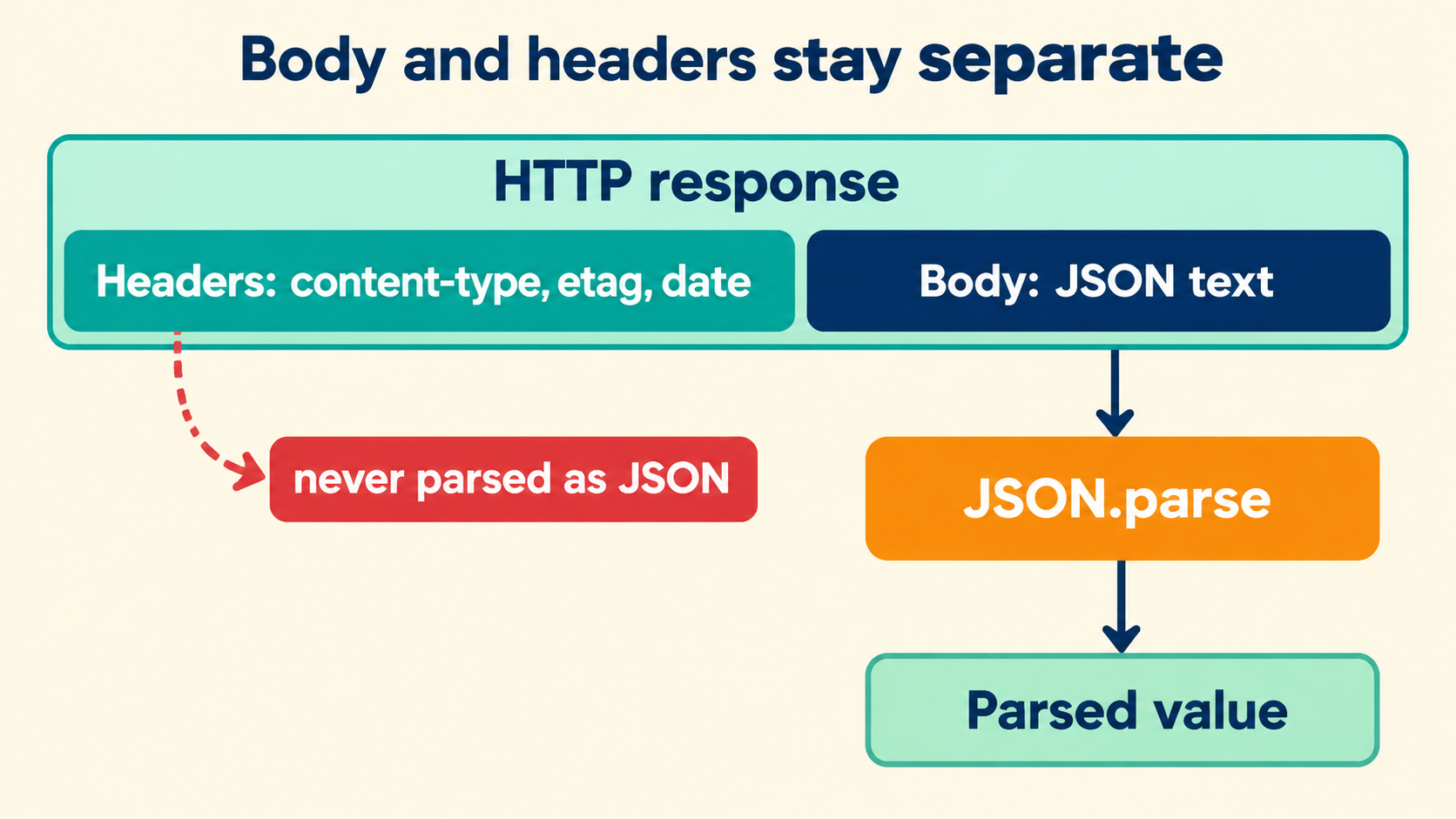
A header-inclusive capture contains two documents with different grammars: HTTP headers, which are lines of name: value, and the body, which may be anything the Content-Type claims. The boundary is the first empty line — two consecutive line endings — and finding it is the entire extraction step.
HTTP/1.1 200 OK
Content-Type: application/json
ETag: "a1b2c3"
X-Request-Id: demo-42

{"status":"ok","items":[{"id":1},{"id":2}]}
Everything above the blank line answers questions about the body; nothing below it participates in those answers. The ETag is not part of the JSON. The request id is not part of the JSON. Mixing them into the payload produces the classic Unexpected token 'H' parse failure, which is really a boundary-detection failure wearing a JSON error costume.
// split once, on the first empty line:
const [head, ...rest] = capture.split(/\r?\n\r?\n/);
const body = rest.join('\n\n'); // rejoin in case the body itself has blank lines
One trap deserves its own sentence: a body can legitimately contain blank lines — pretty-printed JSON always does. Splitting on every blank line destroys it. Split on the first boundary only, and rejoin everything after it.
Resolve Framing and Content Encoding First
Between the bytes on the wire and the text a parser expects sit two optional layers, and a capture can contain either in raw form. Chunked transfer framing prefixes every chunk with its length in hexadecimal; content encoding wraps the body in gzip, br or deflate. Both must be resolved before validation, and both announce themselves in headers.
Content-Encoding: gzip
Transfer-Encoding: chunked

1a
{"status":"ok","items":[
18
{"id":1},{"id":2}]}
0
Modern clients resolve both transparently, which is precisely why manual captures get stuck: the capture shows post-framing bytes in a pre-framing layout, or compressed bytes with the header still claiming an encoding. The checks worth running in order:
- If
Content-Encodingis present and the body does not start with{or[, decode the encoding first. - If the body contains lines that are bare hex numbers, chunked framing was captured raw; strip the length lines and the terminator
0line. - If neither applies and the body still fails to look like text, the capture tool may have re-encoded something; compare against a fresh capture before diagnosing the JSON.
# decode a gzipped body from a capture file:
tail -n +6 capture.txt | sed '/^1a$/d;/^18$/d;/^0$/d' | base64 -d 2>/dev/null | gunzip
The exact commands depend on how your capture tool stored the bytes — which is why the opening table asked you to identify the input. What stays constant is the order: framing, then encoding, then validation. Skipping ahead produces syntax errors that the JSON layer did not cause and cannot explain.
Status, Content Type and Body Expectations
Headers are not overhead; they are the context that turns a body parse into a response interpretation. Reading them before parsing costs seconds and answers questions the body cannot raise about itself.
- Status. An error status changes what a valid body means — a
404with well-formed JSON describing the problem is not a formatting task at all, it is an error-reading task. - Content-Type. The server’s claim about the body.
application/jsonpromises JSON;text/htmlpromising JSON-shaped text is a mismatch worth recording before parsing, because the parse may succeed on bytes the server never called JSON. - Content-Length or framing. Whether the body you have is complete. Truncated captures fail mid-token, and knowing the expected length turns “syntax error at end of input” into “capture ended early,” which has a different fix.
- Cache validators. An
ETagorLast-Modifiedquoted in a follow-up request is what makes the next capture comparable to this one — headers you save now are headers you can diff later.
const status = head.match(/^HTTP\/[\d.]+ (\d{3})/)?.[1];
const ctype  = head.match(/^Content-Type:\s*(.+)/im)?.[1];
if (status?.startsWith('4') || status?.startsWith('5')) {
  // read the body as an error document, not as data
}
Recording these before parsing also protects the eventual report: “the server claimed application/json and returned a 500 with a truncated body” is a complete sentence, whereas “JSON.parse failed” is the start of an argument.
Pick the Right Body-Reading Method
For a live Response object, the reading method is an interpretation decision, not a convenience. The stream can be consumed once, so the method you pick is the interpretation you get.
| Method | Returns | Use when |
|---|---|---|
response.json() |
Parsed value | The body should be JSON and you want it parsed directly |
response.text() |
String | You need the raw text for a token-level check or a signature comparison |
response.arrayBuffer() |
Bytes | Encoding is uncertain or the body may be binary |
response.body (stream) |
ReadableStream | The payload is large or you process it incrementally |
// text first, then parse — keeps both artifacts:
const raw = await response.text();
const value = JSON.parse(raw);
// raw remains available for the report; value for the logic
The text()-then-parse pattern costs one extra step and buys the thing every section of this guide has relied on: an untouched original next to a parsed view. json() alone collapses the two, and the token-level questions — number spellings, escape choices, duplicate keys — become unanswerable the moment the stream is consumed.
Decoding Failures Are Not Syntax Errors
Two failure classes hide behind one exception type, and separating them halves diagnosis time. A decoding failure means the bytes never became the text the parser saw; a syntax error means the parser received text and rejected its structure.
try {
  JSON.parse(raw);
} catch (e) {
  // SyntaxError, but which class?
  // Look at the message: position-based ("position 42") = syntax class
  // "Unexpected token" at position 0 with binary-looking raw = decoding class
}
The position in the message is the tell. A syntax error reports a character position inside the text — that position, read against the raw capture, shows the actual offending character. A decoding failure reports position 0 or a mangled first character, because the parser never got past the start. If the raw text contains replacement characters (�), the encoding negotiation failed somewhere; that is a byte-level investigation, and no JSON tool will improve it.
| Signature | Class | Where to look |
|---|---|---|
| Position > 0, offending character visible | Syntax | The JSON text at that position |
| Position 0, raw looks like garbage | Decoding | Content-Encoding, charset, the capture tool |
| Unexpected end of input | Either | Compare body length against Content-Length |
Parsing success and application expectations are separate gates, just as grammar and schema are separate gates. A body can parse and still be the wrong shape for the code receiving it — that check belongs to the application, and formatting the document does not perform it. What a clean parse does establish is that the transport and text layers are now exonerated, which narrows any remaining mismatch to the data itself.
Format With Explicit Data-Handling Choices
Formatting the recovered body is a presentation step with two settings worth making explicit every time, because each has a data-visible consequence:
- Whitespace only, strings untouched. Indentation changes nothing inside quotes. A formatter that edits inside strings is rewriting data under a cosmetic name, and the diff against the original will show changes no network sent.
- Number tokens printed as received.
1e3and1000name the same decimal; a formatter that re-spells numbers changes what token-level consumers see, and any value above the safe-integer range may already have been rounded by the parse itself.
const pretty = JSON.stringify(value, null, 2);
// quote it as a formatted VIEW; the raw capture remains the source
The inspector on this site keeps the distinction built into its interface: the source pane never changes and the formatted tree is a view over it. Carry the same separation into your notes — pretty version labeled as a view, original labeled as source — and every report downstream is verifiable instead of merely plausible.
A Local Example From Capture to Formatted Output
Walking one capture end to end fixes the whole method in memory. Input: a header-inclusive capture of a chunked, gzipped response, pasted from a terminal.
HTTP/1.1 200 OK
Content-Type: application/json
Content-Encoding: gzip
Transfer-Encoding: chunked

65
1f8b0800000000000003ab562ac8...
0
Expected observations, stated the way a report should:
- The boundary sits after the three headers; the body begins at the chunk length
65. - Chunked framing is raw; the length lines
65and0are framing, not JSON. - After de-chunking, the bytes are gzip (leading
1f 8b); decode once. - The decoded text validates as JSON and formats to the expected structure.
- Headers stay untouched throughout; the ETag quoted in the final report comes from the header block, not the body.
// the final formatted view:
{
  "status": "ok",
  "items": [
    { "id": 1 },
    { "id": 2 }
  ]
}
The example also shows why the method resists shortcuts. Every skipped layer — parsing before de-chunking, validating before decompression, formatting before checking the Content-Type — produces an error message from the wrong layer, and the time saved by skipping is paid back with interest in diagnosis. The chain is five steps long precisely because each one’s output is the next one’s required input, and the order is not convention; it is the data flow.
Every step above — boundary detection, de-chunking, decompression, validation, formatting — runs locally in the browser when the capture is pasted into the workbench: no uploads, no model calls, no code execution. The original capture remains in your editor as the evidence, the formatted view is labeled as a view, and the response that started as a wall of terminal text ends as a document someone can read and a set of headers someone can quote. That combination — readable payload, intact context — is the actual deliverable of “extract and format,” and the method above produces it without trusting any layer to have done the previous layer’s work.