
On this page
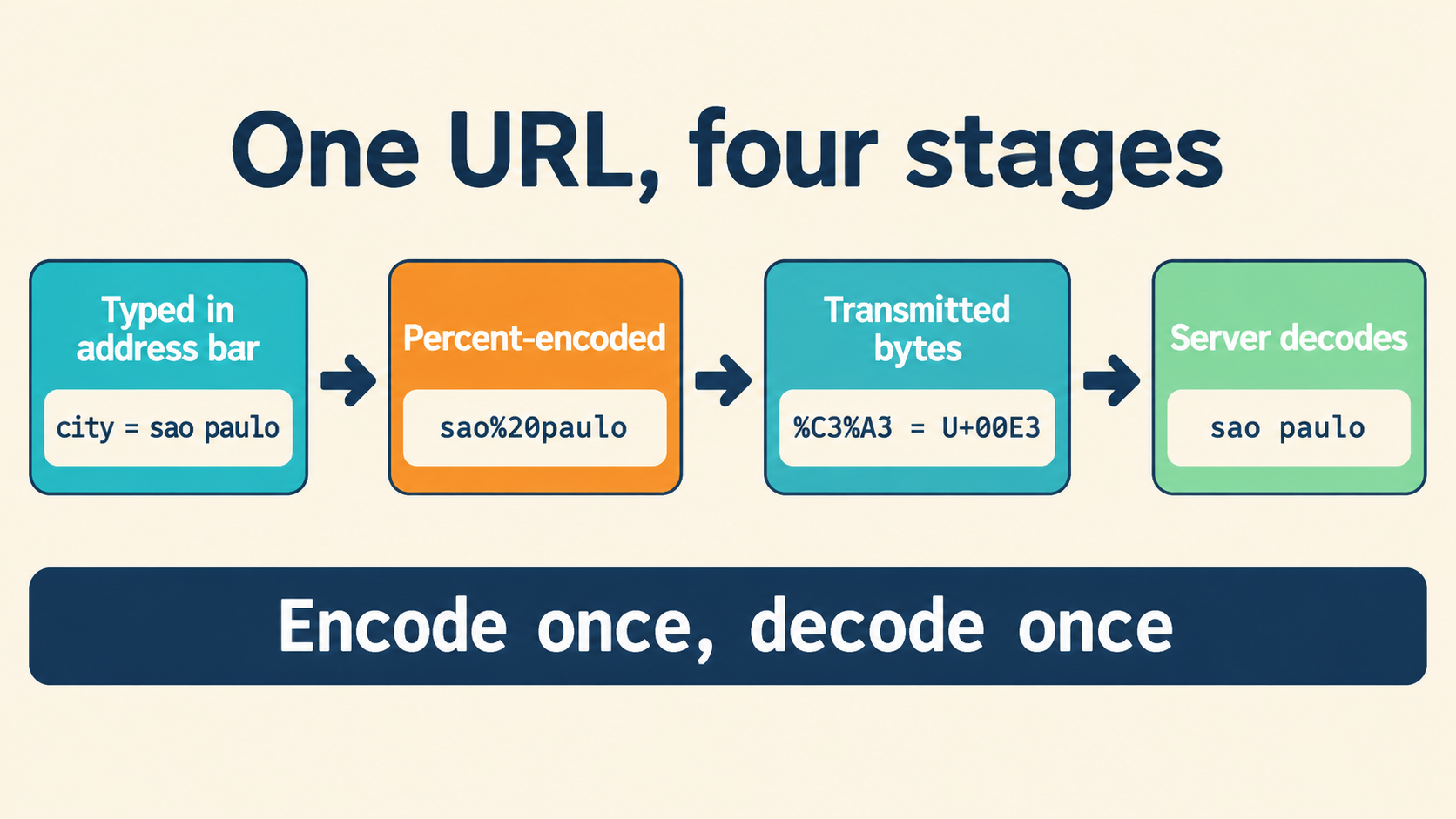
Two Operations Hiding Inside One Spelling
Every percent-encoded string is the visible end of two separate operations: converting escapes into bytes, and interpreting those bytes as text. Most decoding bugs are really bookkeeping bugs — the two operations got merged into one step, and when the output looks wrong there is no record of which operation produced which part of it.
The inspection method in this article keeps them apart. Name the component you are examining, track each stage’s input and output separately, and preserve the original spelling so every transformation stays explainable. Start with a known text-and-encoding pair, and the intermediate representations become checkable instead of assumed.
Follow Percent Escapes from Bytes to Text
A percent escape is a percent sign followed by exactly two hexadecimal digits, and that triplet names one byte. Text interpretation is a different operation that runs afterwards — which is why counting escape triplets does not tell you how many written characters the decoded result contains. Three triplets can be one character, two characters, or an error, depending on the bytes.
Use this multilingual pair as the reference fixture:
Text:     上海+中國
Encoded:  %E4%B8%8A%E6%B5%B7%2B%E4%B8%AD%E5%9C%8B
The opening character makes the intermediate layers visible:
| Representation | Reference value |
|---|---|
| Percent-encoded input | %E4%B8%8A |
| Represented bytes | E4 B8 8A |
| Intended text | 上 |
Three bytes, one character — and the fixture also carries a literal plus sign stored as %2B, which becomes the comparison point for query handling later. Everything here is implementation-neutral: the table describes input and output, not the behavior of any particular decoder, so it works as a cross-check against whatever tool you use.
Keep the Intermediate Evidence
Record three things separately: the escaped input, the represented bytes, and the resulting text. If the displayed text differs from the reference, compare the preceding stages before touching decoder settings — establish whether the tool received the original spelling, and whether its byte view matches E4 B8 8A.
// the check that pins down stage one:
const enc = '%E4%B8%8A';
const bytes = [...enc.matchAll(/%([0-9A-F]{2})/g)].map(m => parseInt(m[1], 16));
bytes; // [228, 184, 138] = E4 B8 8A — matches the reference
new TextDecoder().decode(new Uint8Array(bytes)); // '上'
Keeping the %2B spelling visible matters too: it documents that the source intended a literal plus sign, and gives you a fixed comparison point when query conventions enter the picture. An inspection record that holds the original spelling, the bytes, and the text turns “the output is wrong” into “stage two differs from the reference” — a sentence with a next action in it.
Parse the URL Before Choosing What to Decode
Begin by naming the object under inspection: a complete URL, one path segment, a query name, or a query value. That choice determines which substring you intend to interpret as data. A question mark introduces the query string, but everything after that extraction should follow the selected parser’s documented rules — not your intuition about where components end.
| Object | Question to resolve |
|---|---|
| Complete URL | Which parts does the parser identify as structure? |
| Path segment | What exact substring belongs to the selected segment? |
| Query name | What processing occurred during extraction? |
| Query value | Which decoding and query conventions apply? |
Preserve the complete input alongside the extracted component, and ask whether extraction returned the original spelling or an already-transformed value. Passing a transformed value into another decoder should be a deliberate step with a stated purpose — the most common double-decoding bugs start with an extraction that silently did half the work.
// boundary fixtures: %2F, %3F, %26
const url = 'https://example.com/a%2Fb?q=x%26y';
const u = new URL(url);
u.pathname;        // "/a%2Fb" — boundary preserved by the URL parser
u.searchParams.get('q'); // "x&y" — searchParams DECODES on read
// two parsers, two contracts: name the parser before decoding again
Use %2F, %3F, and %26 as exploratory fixtures precisely because they encode reserved characters: any transformation that converts them before parsing changes where the component boundaries fall. Compare a copy parsed before the transformation with a copy transformed before parsing, and resolve which representation the application is meant to receive before adopting either order.
Query Plus Signs and Repeated Parameters
Both %20 and + appear as spellings for spaces, but that observation alone establishes nothing about a particular component. The plus-as-space rule is a query convention, not part of percent encoding — it applies where a consumer decided it applies, and the investigation starts by identifying that convention, not by assuming it.
This query-shaped fixture organizes the whole question:
q=a+b%2Bc&tag=one&tag=two
It places an unescaped plus and %2B side by side — one intended as a space separator, one intended as a literal plus — and repeats tag twice. Before collapsing anything into a convenient application shape, keep a record of the candidate entries:
| Occurrence | Name spelling | Value spelling |
|---|---|---|
| 1 | q | a+b%2Bc |
| 2 | tag | one |
| 3 | tag | two |
Compare the record with the parser’s documented output: does every occurrence remain available, does the order match the input, and does the interface return first-only, last-wins, or a list for repeated names? For the q value, record plus interpretation and percent conversion as two distinct operations — an unexpected space or plus then traces to a specific rule instead of a shrug.
// the two operations, held apart:
const v = 'a+b%2Bc';
v.replace(/\+/g, ' ');            // step 1, the query convention: 'a b%2Bc'
decodeURIComponent(v.replace(/\+/g, ' ')); // step 2: 'a b+c'
// doing them in the other order, or skipping one, is the classic bug
Recognize Incomplete and Nonhexadecimal Escapes
Inspect percent syntax before explaining any text-decoding failure. An escape requires two hexadecimal digits after the percent sign, and each spelling defect has its own signature:
| Input | Observable problem | Useful diagnostic |
|---|---|---|
% |
Both following digits are missing | Escape ends before its hexadecimal pair |
%A |
One digit is missing | Escape lacks its second hexadecimal digit |
%G1 |
Pair includes a nonhexadecimal character | Identify G as the offending character |
A useful error report preserves the input and highlights the relevant span. Name the representation the location refers to — the complete original string or an extracted component — and establish the tool’s position-counting convention before transferring a reported position into another interface; byte offsets, character indexes, and column numbers all disagree at the first multibyte character.
For %A, the correct report says a second hexadecimal digit is required. Do not append a guessed digit to produce readable output — the guess silently fabricates a value the producer never sent. A literal percent sign has the encoded spelling %25, which supports a real correction when the intended data is known to contain a literal percent sign:
// syntax check before any decode:
const bad = (s) => [...s.matchAll(/%(?![0-9A-Fa-f]{2})/g)].map(m => m.index);
bad('50%25%A%G1'); // indexes of every malformed % — fix these first
// '50%25' → '50%';  '%A' and '%G1' → ask the producer, do not guess
But %25 does not justify replacing every problematic percent sign automatically. First determine whether the input intended literal data or an escape — those are different documents that happen to share a character.
Valid Escapes That Contain Invalid UTF-8
Syntax can pass completely and the text stage can still fail: every escape has its two hexadecimal digits, and the bytes they name are not valid UTF-8. When a tool reports a decoding problem, inspect the input to that specific operation. Capture the represented bytes separately, record what the text decoder received, and work a worksheet rather than a hunch:
| Checkpoint | Evidence to record | Next action |
|---|---|---|
| Escape syntax | Original component and syntax-check result | Resolve incomplete or nonhexadecimal escapes |
| Byte conversion | Exact byte sequence produced | Compare with the escaped spelling |
| Text interpretation | Decoder, settings, actual result | Consult the documented rule behind the report |
| Error location | Reported position and its representation | Locate the span in the preserved input |
// reproduce a real UTF-8 rejection:
const bytes = [0xE4, 0xB8];        // valid escape triplets, invalid UTF-8:
                                   // E4 promises 2 continuation bytes, gets 1
new TextDecoder('utf-8', {fatal: true})
  .decode(new Uint8Array(bytes));  // TypeError — keep this diagnostic
If the decoder rejects the bytes, retain its complete diagnostic. Before assigning a detailed UTF-8 classification, verify the applicable validation rule in that decoder’s documentation — decoders differ in strictness, and “invalid UTF-8” from one engine is a silent substitution from another. Keep observation and explanation in separate fields: record the rejection immediately, add a cause only when the captured bytes and the documented rule establish it.
Choose Explicit Rejection or Recovery
Select a failure policy before malformed input becomes an application value. The policy should state what stops, what evidence remains, and whether displayed results include substitutions:
| Choice | Evidence to preserve | Decision to expose |
|---|---|---|
| Reject conversion | Original input and diagnostic | Which stage prevented completion |
| Retain raw data | Original spelling and any completed intermediate | Which stages actually succeeded |
| Recovery preview | Input, transformed output, change record | What was substituted or left unresolved |
Recovery itself is two decisions, not one: a rule for malformed percent syntax (repair, retain, or reject) and a separate rule for byte-to-text replacement (the U+FFFD question). Document both when a workflow offers both, and if a preview uses substitutions, retain the original input beside it so the copied form never masquerades as the submitted form.
A replacement result must never be presented as a reconstruction of the author’s original text. Where information is missing, record the uncertainty — a chosen substitute wearing the costume of recovered evidence is worse than an honest failure, because it gets trusted.
Locate the First Unwanted Transformation
When final text looks wrong, compare adjacent stages instead of repeatedly re-decoding the final value — every extra pass makes the record harder to explain. Capture one line per stage:
Original input:              https://example.com/lookup?q=%E4%B8%8A
Selected component spelling: q=%E4%B8%8A
Value returned by extraction: q=%E4%B8%8A          (unchanged)
Percent-decoded bytes:        E4 B8 8A
Decoded text:                 上海
Query convention:             plus-as-space, applied before percent decode
Failure stage, next action:   none — record complete
At each boundary, identify the operation and compare its input with its output. If extraction already changed the spelling, investigate that operation before adding another conversion. If the bytes match the intended input, focus on text interpretation. The first stage whose output disagrees with its input is the bug; everything downstream is its shadow.
Investigate an Apparent Extra Layer
The fixture for a suspected double encoding is %252F. Because %25 represents a literal percent sign, one decoding pass converts that triplet while retaining the following 2F:
Input spelling:    %252F
Convert %25 to %:  %2F          ← after one pass
Convert again:     /            ← only if the contract says so
One pass explains one transformation; it does not establish that a second pass is intended. Determine the intended number of passes from provenance: did the producer deliberately place an encoded representation inside another value, and did an earlier consumer already transform it? Preserve the input and output of each authorized pass.
Avoid any rule that keeps decoding until no percent signs remain — that loop has no stopping condition that respects intent. State the purpose of each pass and stop when the agreed processing contract is complete. The inspector on this site shows each stage’s input beside its output, so a double-encoded value displays its layers instead of silently flattening them.
Separate Normalization from Text Decoding
Normalization deserves its own purpose and its own record. “Show readable text” does not specify which URL spellings a storage or comparison policy should preserve — those are different tasks that different tables answer:
| Task | Question to resolve |
|---|---|
| Interpret encoded text | Which bytes and intended text are involved? |
| Normalize a representation | Which rewriting rule applies, and for what purpose? |
| Preserve component boundaries | Which representation should the parser receive? |
| Apply a provider transformation | What input-and-output contract does the provider document? |
The mapping %25 → % answers what an escape represents; it does not decide whether a normalization policy should rewrite the spelling. If a policy distinguishes unreserved characters from reserved separators, obtain its actual character groups and scope — which components it covers, whether it governs comparison, storage, display, or input. Do not invent character classifications to fill an undocumented gap.
Keep provider-specific transformations separate from general text interpretation, and save their before-and-after values so a spelling change stays visible. Before accepting any result, check that the record explains the original input, the selected component, the byte conversion, the text outcome, and every additional rewriting — each changed representation should have an identifiable operation and a stated reason. Everything above runs locally: paste the fixture into the URL Workbench and walk the stages yourself, original spelling preserved the whole way down.