
On this page
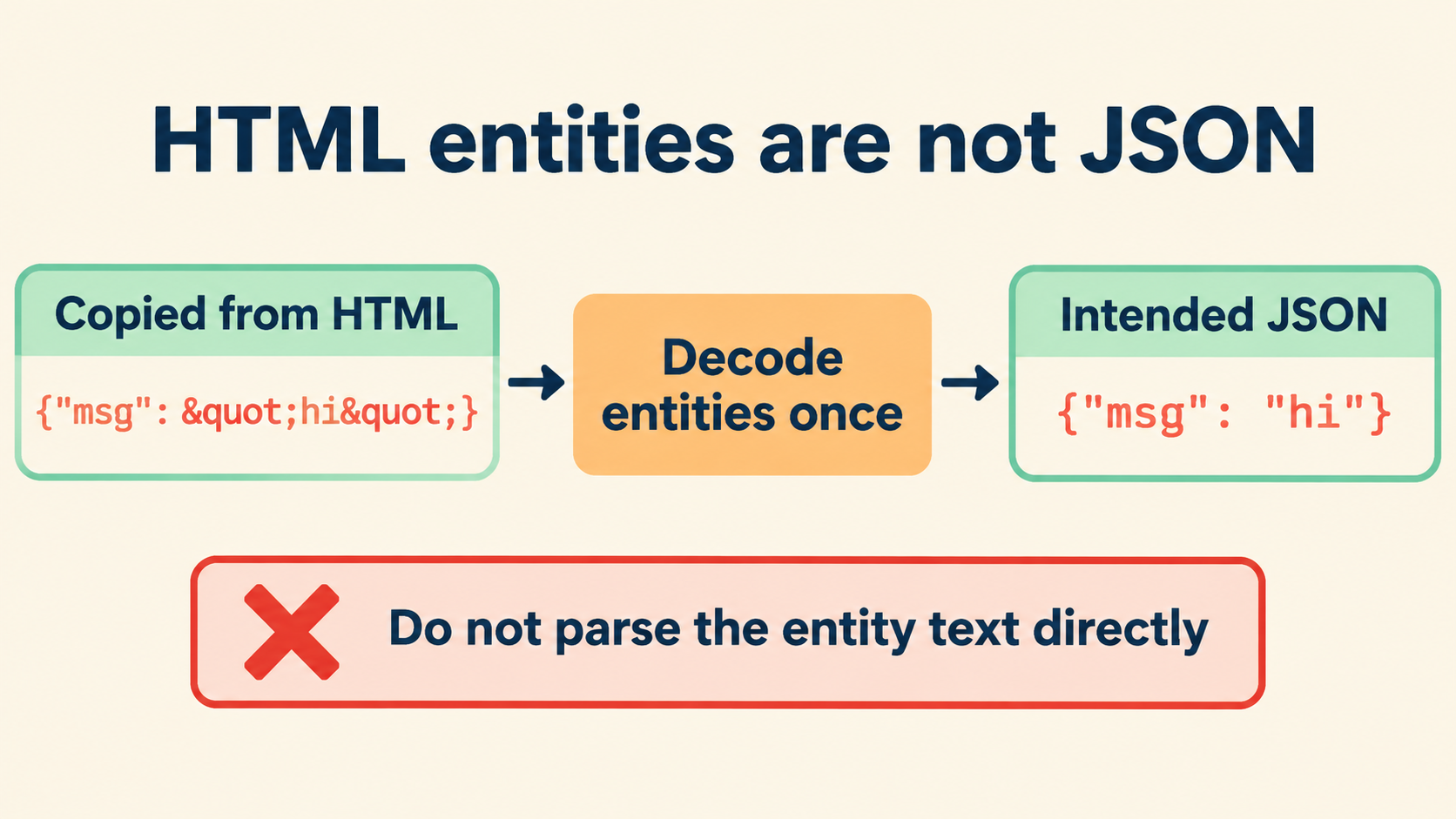
Identify What Was Actually Copied
Text that reads {"name":"Ada"} is not yet a JSON document. It is a candidate, and the first task is provenance: which surface did the copy come from — rendered page, HTML source, an attribute, a script data block, a DOM property, or a raw response? The same visible token appears in several of those places with different histories, and the history decides the extraction.
Preserve the original sample untouched and work on a separate copy. Keep a note of the source surface next to it. The appearance of " alone establishes nothing about how many encoding layers are present; it establishes only that at least one exists.
| Copy surface | What the text may carry | Typical first step |
|---|---|---|
| Rendered page text | Entities already decoded by the browser | Validate directly |
| HTML source / view-source | Entities as written: " |
Extract from container, then decode once |
| Attribute value | Entity or attribute escaping, depending on the attribute | Decode the attribute layer explicitly |
| Script data block | Raw JSON, possibly with slash escaping | Validate as-is |
DOM property (textContent) |
Decoded value of the text node | Validate directly |
One caution worth stating early: the token {"label":"""} shows that entities can appear inside what will decode to a JSON string. Layer counting by pattern matching is exactly how such samples get double-decoded. Establish the intended text before editing — the comparison against a known original, when one exists, is worth more than any inference from the sample alone.
HTML References and JSON Escapes Are Different Machinery
HTML character references and JSON escapes solve different problems at different layers, and mixing their vocabularies is the root of most recovery mistakes. The table below is the reference worth keeping open during any recovery session.
| Layer | Mechanism | Example | Decodes via |
|---|---|---|---|
| HTML | Character references | ", ", " |
HTML parsing, once |
| JSON | Escape sequences | \", \\, \u0034 |
JSON.parse, once |
Three practical consequences follow. First, " inside JSON text is a syntax error — the JSON grammar has no concept of HTML references, so the parser stops at the ampersand. Second, \" inside HTML source is invisible noise — HTML does not act on backslash escapes, so the text displays literally until JSON decodes it. Third, both layers can legally appear in one sample: a JSON document inside an HTML page can contain references (introduced by the page’s encoding) wrapping escapes (introduced by JSON’s own grammar), and the two decode in opposite order — HTML first, JSON second.
// sample from HTML source:
const copied = '{"path":"a\\\\/b"}';
// after one HTML decode: '{"path":"a\\\\/b"}' — JSON layer intact
// after JSON.parse: {path: 'a/b'} — both layers resolved
The delimiter question deserves its own note: quotes delimit JSON strings, and an entity standing in for a quote is standing in for a structural character. Decoding it restores structure, not just content. That is why the decode must happen before validation rather than after — the document is not parseable until the references are resolved.
Extract According to the HTML Container
Where the JSON sits in the HTML decides how to extract it, and the extraction methods differ in what they do to entities:
- Script data block (
<script type="application/json">): the content is raw data; entities inside it are literal text. Extract the text content and validate — no decoding step applies. - Regular element text: the HTML parser decodes references when the page renders. Copying from rendered output gives you post-decode text; copying from source gives you pre-decode text.
- Attribute value: quotes terminate the attribute, so the document inside was almost certainly entity-escaped to survive. The attribute layer decodes as a unit.
- DOM API: reading
textContentreturns the decoded value directly; readinginnerHTMLreturns markup where references may reappear.
// script block, the cleanest container:
const raw = document.querySelector('script[type="application/json"]').textContent;
JSON.parse(raw); // entities here would be literal text, not references
The container question also explains a false positive worth knowing: JSON pasted from a view-source page can contain references that the live page never had, because view-source displays the wire format rather than the parsed document. The intended text is the decoded one; the sample’s entity layer belongs to the display, not the data.
Decode One Confirmed Layer
With the container identified, decode exactly once — and only if the container analysis says a layer exists. The confirmation matters more than the tooling, because a second decode pass corrupts a sample that was already correct.
// the confirmed single decode:
const decoded = copied
.replace(/"/g, '"')
.replace(/&/g, '&')
.replace(/</g, '<').replace(/>/g, '>');
// note: & AFTER " — decode & last, or you will create references from data
That ordering rule is the one substantive trap in the whole operation. Decoding & first turns the literal text &quot; into ", which a subsequent pass then wrongly decodes into a quote. HTML’s own decoder works in one pass for this reason, and any manual replacement chain should preserve it.
// the safe one-pass form:
const decoded = copied.replace(/&(quot|amp|lt|gt|#\d+);/g, (m, e) => {
  const table = { quot: '"', amp: '&', lt: '<', gt: '>' };
  return e.startsWith('#') ? String.fromCodePoint(parseInt(e.slice(1), 10)) : table[e];
});
When the decoded result still contains references, resist the second pass. First establish whether the remaining references are data — a string value that legitimately contains the characters &quot; will decode to text containing ", which is content, not structure. Section five covers that case directly.
Verify With a Parser, Then Check Values
Validation has two gates, and they are separate. The syntax gate asks whether the decoded text parses; the value gate asks whether the parsed document contains what the producer intended. Recovery work tends to over-serve the first gate and skip the second.
const doc = JSON.parse(decoded);       // gate one: syntax
doc.name === 'Ada';                    // gate two: intended value
Gate two has a concrete tool: the comparison view. Paste the parsed result next to a known original — a documented response, a fixture, an earlier capture — and compare values, not text. The comparisons that catch recovery mistakes are value-level: string contents character by character, number tokens as exact decimals, key sets as sets. Text-level comparison would flag the entity spellings that no longer exist and bury the signal.
The parser also serves as a layer detector in reverse. If JSON.parse fails at an ampersand, an HTML layer remains. If it succeeds but values look entity-contaminated, the decode touched data it should not have — most often the &-ordering mistake, or a decode pass applied to a sample that was already plain.
| Observation after parse | Reading | Action |
|---|---|---|
Syntax error at & |
HTML layer still present | Decode once, re-validate |
Parses; values contain " |
References were data | Stop decoding; record as intended content |
| Parses; values match original | Recovery complete | Format the view, keep the source |
| Parses; values changed | Over-decode or rewrite | Diff against the untouched sample, find the step |
Reference Text That Belongs to the Data
The subtlest case in this whole topic is the legitimate one: data that contains reference-lookalike text. A CMS that stores the literal characters &quot;hello&quot; in a field, rendered and copied, produces a sample whose decode yields "hello" — and a well-meaning second pass turns that into quotes, corrupting the value while making the document look cleaner.
{"label": "&quot;quoted&quot; text"}
After one correct decode of an HTML context, the value becomes the text "quoted" text. That is the data. It is not a decoding failure, and it needs no repair. The test that settles it is provenance, not pattern-matching: does the producer’s documented value contain the reference text? If the API’s example response shows &quot; in the raw body, the decoded-but-still-escaped-looking value is the intended one.
The habit that prevents the corruption: decode per layer, with the layer named, and stop when the named layer is done. “Decoded the HTML layer” is a complete action. “Decoded until it looks clean” is not an action; it is an accident with extra steps.
Match Each Transformation to Its Layer
A recovery session can involve several transformations, and the discipline that keeps them straight is writing each one against its layer:
- Extraction — selecting the JSON text out of its container. Changes location, never characters.
- HTML decode — resolving character references. Changes entity text to characters, once.
- JSON parse — building values from text. Consumes escapes, once.
- Formatting — whitespace outside strings. Changes layout, never content.
Four transformations, four layers, each applied at most once. The matrix also gives the diagnostic vocabulary for a failed recovery: instead of “the JSON is broken,” the report says “the HTML decode ran twice on the value field” or “formatting rewrote the number token” — sentences that point at a step rather than a mood. Shared across a team, that vocabulary makes recovery reports reviewable: a reviewer can check that each named step was necessary and applied once, which is most of what code review for data handling ever does.
// the recovery log as code comments:
// extracted from script#payload (textContent) — no HTML layer present
// JSON.parse OK
// formatted view: JSON.stringify(doc, null, 2) — whitespace only
Prevent the Mismatch in Future Copies
Most HTML-entity contamination is preventable at the copy step, and the prevention costs less than one recovery session:
- Copy from DOM APIs when possible.
textContentof a script data block returns raw, correctly-decoded text with no display-layer rewriting. - Prefer the network response over the page. DevTools’ response viewer shows the body as received, before the page’s own rendering touches it.
- When pasting from source is necessary, name the layer in the paste. A comment above the sample — “from view-source, entity layer present” — turns the next reader’s guess into a fact.
- Round-trip check as a habit. Parse the recovered text, re-stringify it, and compare values against the original sample. A mismatch at value level catches the over-decode before it reaches a report.
// the round-trip gate:
const value = JSON.parse(recovered);
JSON.stringify(JSON.parse(recovered)) === JSON.stringify(value); // trivially true
// the real check is against the ORIGINAL sample's values:
sameValues(value, JSON.parse(originalAfterDecode)); // your comparator
The inspector on this site keeps the raw and parsed views side by side during the whole operation, and everything runs locally in the browser: no uploads, no model calls, no code execution. Paste the sample, name the container, decode the confirmed layer once, and the intended document either validates — or the failure points at a specific, named layer instead of at the darkness. That is the difference between recovering a payload and arguing with it.